
Notes
Create, organize, and keep your team's written knowledge in Heyweek — documentation, meeting notes, project briefs, and decisions, all in one place.
Create, organize, and keep your team's written knowledge in Heyweek — documentation, meeting notes, project briefs, and decisions, all in one place.
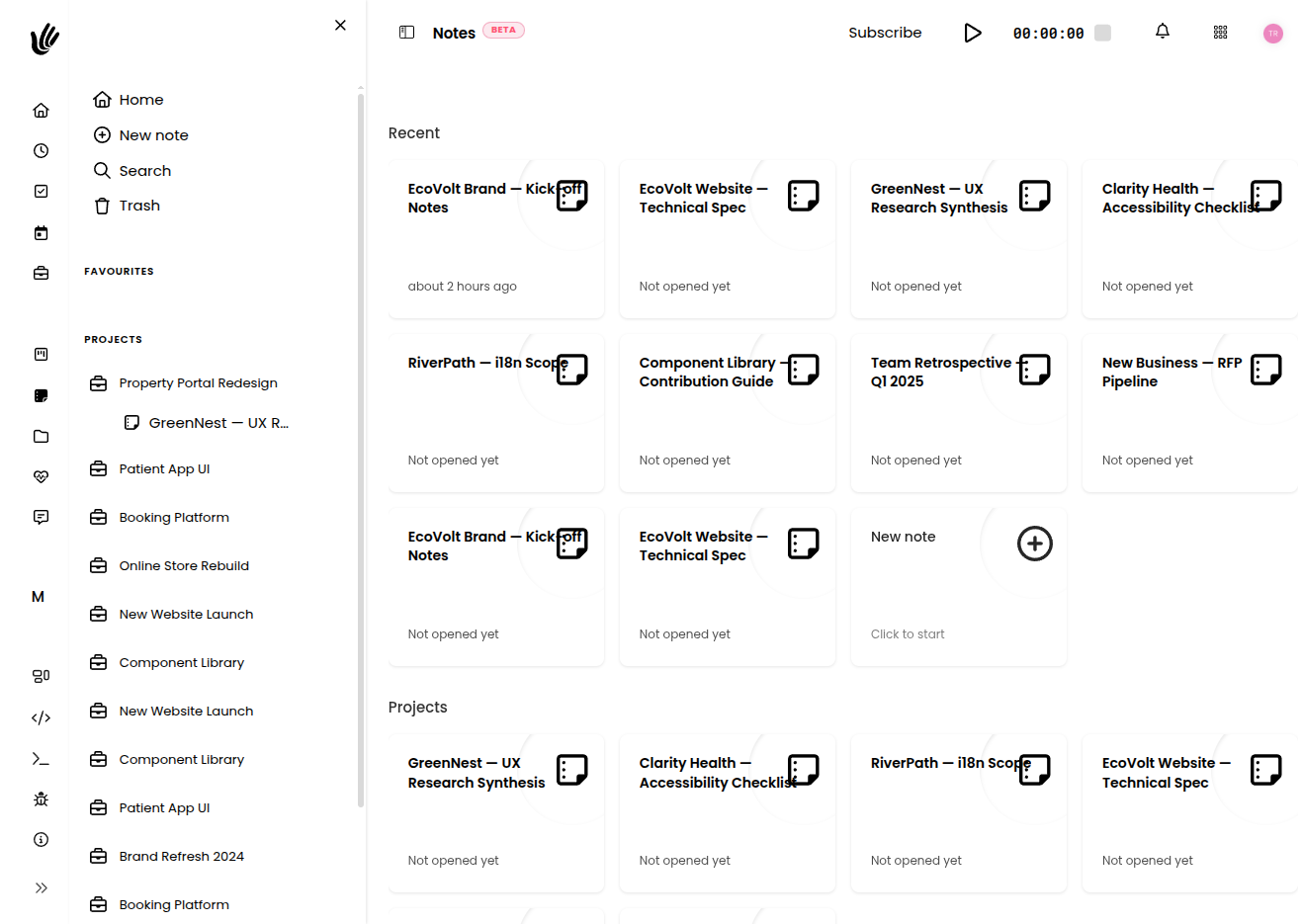
Overview
Notes give your team one home for the written word: documentation, meeting notes, project briefs, decisions, and anything else worth keeping. A note can be a quick personal scratchpad or a shared reference the whole team relies on. Because notes can belong to a project, the context stays with the work they describe — and a full version history means you can always see how a note got to where it is.
Key features
- Rich notes — Write and format notes with headings, lists, and links.
- Version history — Every note keeps a history of changes, so you can see how it evolved and restore an earlier version.
- Folders — Organize notes into nested folders by project, team, or topic.
- Project notes — Attach notes to a project so briefs and decisions sit next to the work.
- Locking — Lock a note to prevent further edits when it's final.
- Recent & restore — Jump back to notes you touched lately, and restore a note if you delete it by mistake.
Getting started
- Create a new note and give it a clear, descriptive title.
- Write your content and format it with headings, lists, and links.
- Attach the note to the relevant project so it stays in context.
- Move it into a folder to keep things organized.
- Use Recent to get back to it, and lock it once it's final.
Creating and formatting notes
The editor supports the formatting that makes notes readable: headings to structure longer documents, lists for steps and checklists, and inline links to related work. Keep a note focused on one topic so it stays easy to scan and reference later.
TIP
Give notes clear titles and keep one topic per note. It makes them far easier to find and reuse than a single sprawling document.
Version history
Every note keeps a version history, capturing changes as the note evolves. You can review how a note got to its current state and restore a previous version if something needs to come back. This means you can edit freely without worrying about losing an earlier draft.
NOTE
Before a big rewrite, just edit — the previous version is saved automatically, so you can always roll back.
Organizing and finding notes
As your notes grow, a little structure keeps them useful:
- Group related notes into nested folders by project, team, or topic.
- Keep project notes with the project they belong to, so the brief sits next to the tasks it informs.
- Use Recent to jump straight back to what you were working on.
Works with the rest of Heyweek
- Attach notes to Projects to keep briefs and decisions next to the work.
- Keep account knowledge close to your Clients.
- Store related documents in Files.
- For data-heavy work, use a Spreadsheet.
- Learn more on the Notes feature page.
Tips
- Keep project notes with their project — context is what turns a note into shared knowledge.
- Lean on version history before big edits; the earlier version is always there to roll back to.
- Lock a note once it's final so it isn't changed by accident.
- Use Recent to pick up where you left off instead of hunting through folders.