
Notes that live where the work is
Rich-text notes attached to projects, clients, or the whole workspace. Meeting notes, briefs, ideas—always findable because they’re stored where they belong.
The cost of scattered notes
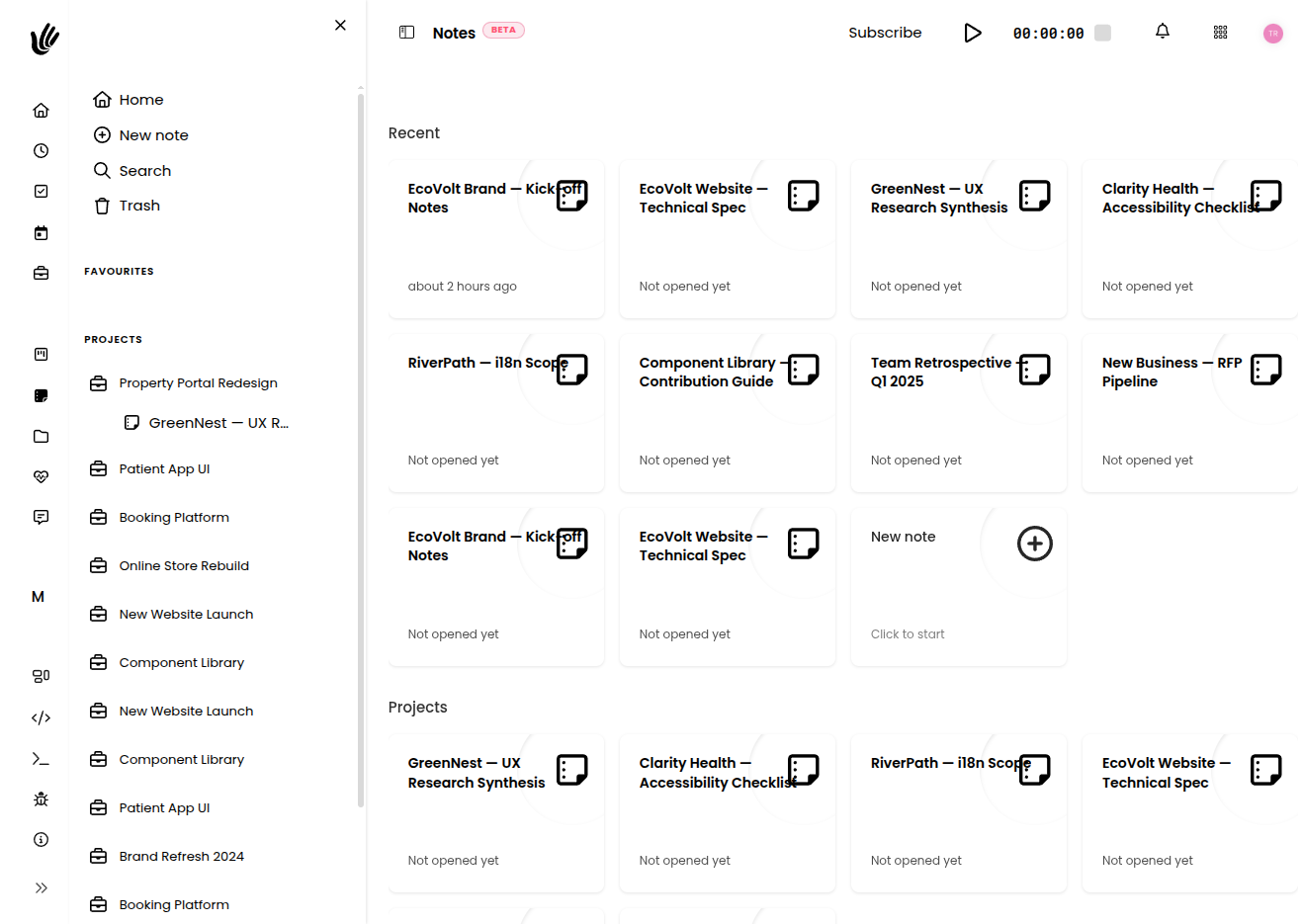
Notes in context
- Write notes directly inside projects and client records
- Rich text editor—headings, lists, code blocks, everything you need
- Shared with the whole team by default
- Search across all notes in one place
Attached to context
Notes live inside projects and clients, not in a separate app. Find the decision by finding the project.
Rich text editor
Headings, bullet lists, inline code, and more. Write a proper brief, not just a bullet point dump.
Shared by default
Team notes are visible to everyone with access. No more ‘check my personal Notion’ to find the client brief.
Replace the notes you scattered everywhere
Freelancers
"I write my client briefs right inside the project. When I need to revisit the scope, it’s there—not buried in my Notion."
Agencies
"Meeting notes, strategy docs, feedback—all in the project. New account managers get up to speed in minutes, not days."
Startups
"Engineering specs and product decisions live in the same place as the project. Context never gets lost when priorities shift."
Stop losing important context
Free during beta. No credit card required.
Notes and documentation that live with your work
Heyweek notes keep knowledge where you’ll actually use it. Capture meeting notes, briefs, and documentation in the context of the project, client, or task they relate to — so important details aren’t scattered across apps and forgotten.
The best note is the one you can find when you need it. Heyweek lets you write and organise notes against the work they belong to, turning scattered thoughts into a searchable, shared knowledge base for your team. Onboarding, decisions, and client details stay put instead of disappearing into someone’s personal app.
Because notes sit alongside tasks, files, time tracking, and communication, documentation becomes part of the workflow rather than an afterthought. Your team builds shared context as it works, and nobody has to reconstruct what was decided three weeks ago.
Frequently asked questions
Can I attach notes to projects and clients?
Yes. Notes live in the context of the relevant project, client, or task, so the information is right where the work happens.
Is this a shared knowledge base?
It can be — notes are shared with your team, turning meeting notes and documentation into searchable shared context.
Do notes connect to the rest of my work?
They do. Notes sit alongside tasks, files, and communication, so documentation is part of the workflow rather than a separate tool.
Is Heyweek notes good for client work?
Yes — keeping client details and decisions attached to the client record means anyone on the team can pick up where others left off.