
Your whole team, in one place
See who's on your team, what roles they play, and how to reach them. Add people to projects, track availability, and keep everyone connected.
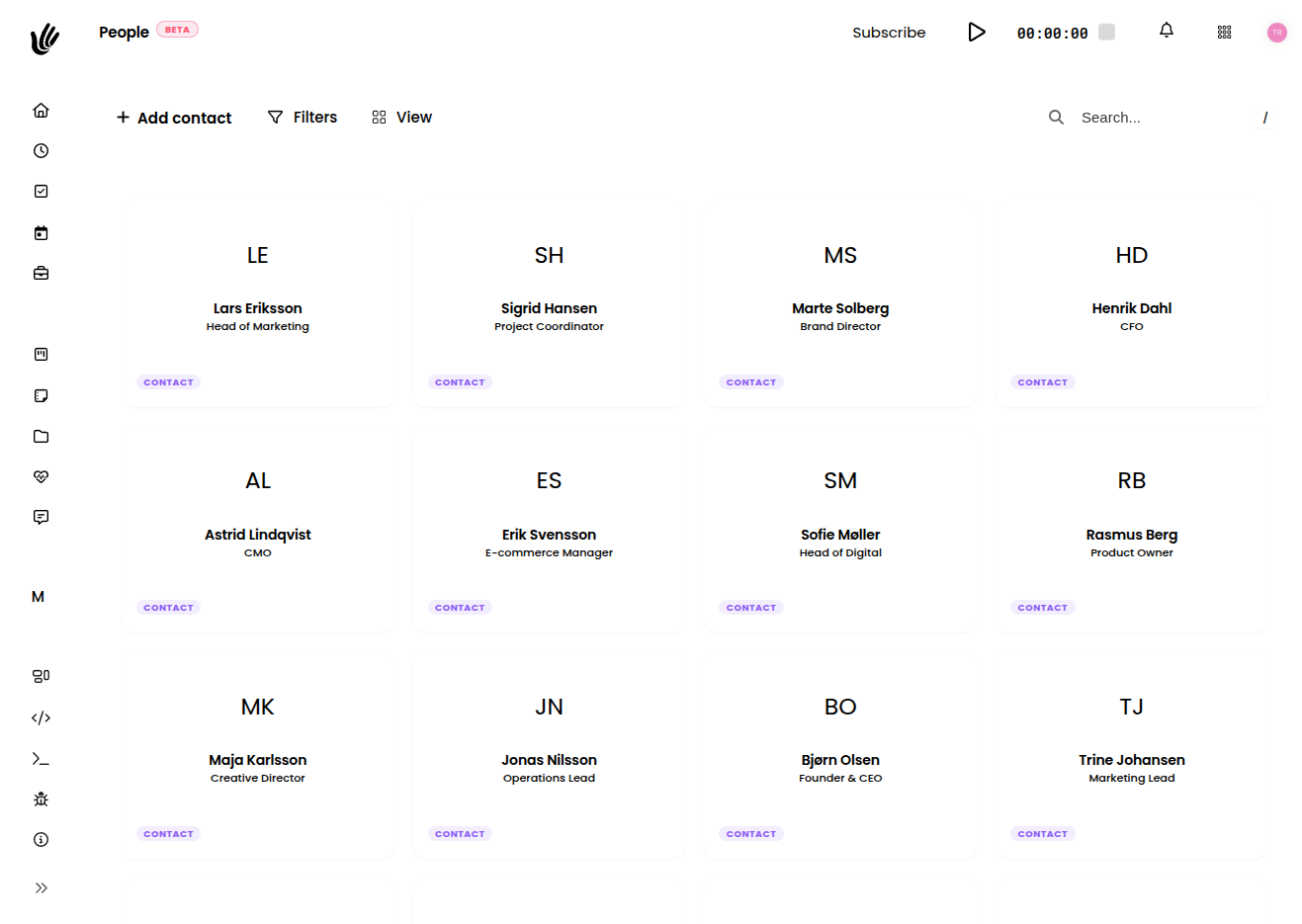
Team chaos as you grow
A real team directory
- Everyone on one page with their role and contact info
- See who's assigned to which projects
- Invite people to projects and control access levels
- Works with absence and pulse to give the full picture
Team directory
Every team member's name, role, and contact info in one searchable place. No more asking HR for the latest spreadsheet.
Project assignments
See at a glance who's on which project. Assign people to work and manage access from one panel.
Connected to the whole workspace
People ties into Pulse, Absence, and Tasks. You always know who's in, who's out, and what they're working on.
For teams that are growing
Agencies
"We have 20 people across three departments. Heyweek is the single place to see who's on what client and who to pull in next."
Startups
"As we hired, things got complicated. People gives the whole team visibility into who's responsible for what without Slack chaos."
Consultants
"I manage a network of contractors. People keeps everyone organized and makes sure the right person is on the right project."
Build a team that knows itself
Free during beta. No credit card required.
Team and people management in one workspace
Heyweek helps you manage the people behind the work. Organise your team, set roles and permissions, see who’s working on what, and keep capacity in view — so you can staff projects well and avoid overloading anyone.
Running a team is a scheduling problem as much as a management one. Heyweek shows you who’s assigned where, how utilised each person is, and where there’s capacity for new work. That makes it far easier to plan projects realistically and spot burnout risk before it becomes a problem.
Roles and permissions keep the workspace appropriate for everyone — owners, managers, team members, and clients each see what they should. Combined with time tracking and reporting, people management in Heyweek connects your team to the actual work and the results it produces.
Frequently asked questions
Can I set roles and permissions for my team?
Yes. Owners, managers, members, and clients get appropriate access, so everyone sees what they need and nothing they shouldn’t.
Can I see who is working on what?
You can. Heyweek shows assignments and utilisation across the team, making it easier to staff projects and balance workload.
Does this help with team scheduling?
It does — seeing capacity and current assignments in one place makes planning who works on which project far more realistic.
Is people management connected to time and reports?
Yes. Team data ties into time tracking and reporting, so you can see utilisation and profitability per person and project.